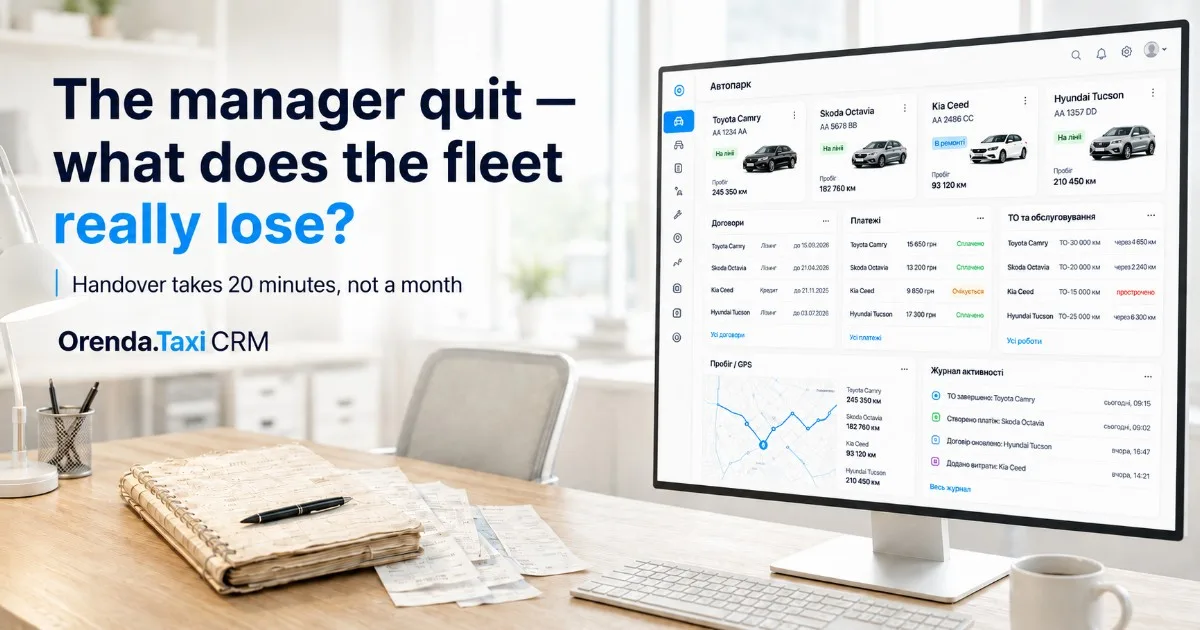
The Manager Quit — What the Fleet Actually Loses
A story of repairs, agreements with drivers, and debts known only to him. We analyze the cost of the fleet that lives in the manager's notebook and how to transfer responsibilities in 20 minutes.
The manager submitted his resignation on Friday. On Monday, you open his desk — and realize that along with him, the following have also ‘quit’: the repair history of three vehicles, verbal agreements with five drivers, and debts known only to him.
Because the fleet did not exist in your hands. The fleet lived in his notebook and mind.
What Exactly ‘Quits’ with the Manager
Go through this list regarding your fleet — honestly:
- Driver debts. Who owes what and from which week. If the answer is ‘I need to ask Sergey’ — you already have a problem today.
- Verbal agreements. ‘He can be paid on Thursday’, ‘this one got a 500 reduction for the wash’, ‘that one is working off repairs’. Nowhere is it recorded.
- Repair history. What was changed, when, for how much, and by whom. The next mechanic will start from scratch — and you will pay for it.
- Maintenance and insurance schedule. A missed maintenance is not a fine; it’s a vehicle that will break down in the middle of a shift.
- Contacts and context of drivers. Who is reliable, who is ‘on the edge’, with whom you have already said goodbye.
Each point individually looks like a trifle. Together, this is the operational memory of your business, and it just walked out the door.
How Much This Costs in Money
Let’s calculate conservatively, based on a fleet of 10 vehicles:
- Lost debts. Two or three ‘forgotten’ debts of 5–7 thousand — minus 15,000 UAH immediately.
- Month of handing over responsibilities. The new manager will spend a month piecing together the picture: calling drivers, reconciling payments, guessing agreements. During all this time, the fleet operates blind.
- Mistakes on even ground. An invoice wasn’t issued, maintenance was missed, a deposit was returned twice. Each mistake costs from thousands to tens of thousands.
The real price of ‘notebook accounting’ is not a monthly subscription to the system. It’s one random personnel move.
The Fleet Should Belong to You, Not the Employee’s Memory
The only way to mitigate this risk is to ensure that operational memory lives in the system, not in people:
- Contracts — with conditions, deposits, and history: you open the driver’s card and see everything.
- Invoices are generated automatically every week and sent to the driver via Telegram; card payments, debts are visible at the moment they appear, not on Sunday evening.
- Repair and maintenance history linked to each vehicle — with amounts and dates.
- GPS mileage is automatically tracked — showing the actual load on the vehicles.
- Action log: who created, changed, or deleted a contract, invoice, or vehicle — down to the field level. The question of ‘who did this?’ ceases to exist.
This is how Orenda.Taxi CRM is structured — a system for taxi and rental fleets where everything listed comes as a package, not as separate modules for an extra fee.
Handover in 20 Minutes
When the fleet is in the system, changing managers looks like this:
- The administrator creates access for the new employee (2 minutes).
- The new manager opens the dashboard: active contracts, debts, upcoming maintenance — everything is at a glance (10 minutes for a tour).
- The old employee's access is turned off with one switch — along with the risk that ‘the database will leave with him’.
Twenty minutes instead of a month. And no calls to the former employee asking, ‘how much did Vitya owe?’
Where to Start
Don’t wait for a resignation letter on your desk. You can transfer your fleet to Orenda.Taxi CRM in an evening: import vehicles and drivers from a spreadsheet, the first contracts — in 10 seconds each. The first 30 days are free, no card needed — you’ll have time to verify that Sunday has become a day off again.
FAQ
How long does it take to transfer the fleet to the CRM?
One evening for a fleet of up to 20 vehicles: vehicles and drivers are imported in bulk, contracts are created in 10 seconds. The first 30 days are free, so the transfer costs nothing.
What to do if the manager keeps records carelessly?
In the system, this is immediately visible: the action log shows who changed what, and the dashboard shows where invoices are not issued or debts are overdue. Sabotaging a transparent system is much harder than a notebook.
Will I see who exactly changed the contract or invoice?
Yes. The action log records every creation, change, and deletion with the employee's name, timestamp, and list of changed fields — down to ‘was → became’.